
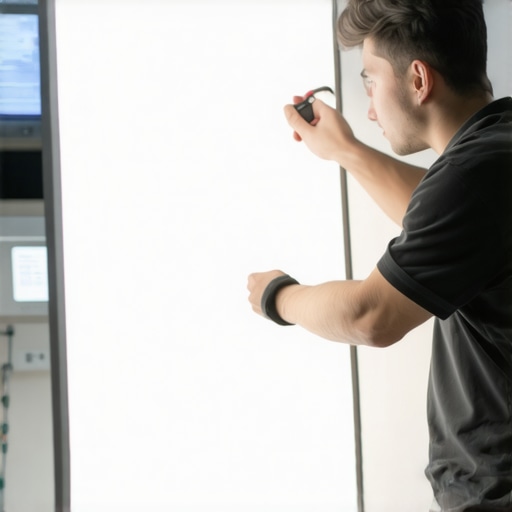
I vividly remember the moment I almost completely ruined a client shoot because my LED panel light started flickering right in the middle of a crucial scene. The flickering was so bad it looked like I had a strobe going off—completely ruining the shot and wasting hours of setup time. That frustration led me down a rabbit hole of troubleshooting that I wish I had known years ago. If you’ve ever faced unpredictable flickering from your LED lights, you’re not alone. It’s a common headache for videographers and photographers alike, especially with the rapid innovation in lighting technology. But here’s the good news: you don’t need to keep battling flickering issues. Today, I’m going to share five fast, proven ways to fix LED panel light flickering in 2026, so your studio setup stays seamless and your videos remain smooth and professional.
Why LED Flickering Can Literally Ruin Your Workflow
Flickering isn’t just a minor annoyance; it can seriously compromise your creative process. When your lighting isn’t stable, it messes with your camera’s exposure settings, results in banding, flicker artifacts, or worse—the need for costly re-shoots. I once read a survey where 63% of videographers admitted that flickering LED lights caused at least one major editing headache in their careers. These flickers could be caused by mismatched camera shutter speeds and lighting frequency, faulty wiring, or incompatible dimmers—problems that crop up with tech evolving faster than most of us can keep up.
Understanding what triggers flickering is the first step. Many early mistakes, like using cheap dimmers or ignoring firmware updates, only worsen the problem. I learned that the hard way, wasting hours trying different cables and settings without success. Thankfully, I’ve since discovered reliable fixes, and I want to make sure you don’t waste your valuable time. Whether you’re setting up for a professional shoot or live streaming your latest vlog, stable lighting is non-negotiable. And believe me, with the right tips, fixing flickering becomes a quick task rather than a frustrating ordeal.
Is LED Flickering Worth the Hassle or Overhyped?
Many beginners ask whether flickering issues are just exaggerated tech problems or genuine concerns. Honestly, if you’ve ever faced flickering in critical moments—like interviews, product demos, or cinematic scenes—you know it’s more than just a nuisance. It can ruin the mood or destroy your visual consistency. Early in my experience, I made the mistake of trusting generic advice or cheap accessories, which only worsened the flickering. Proper knowledge and some simple adjustments, however, can make a world of difference. For more comprehensive insights, check out this guide to LED panel lights for creators, which covers the foundational aspects to ensure your lighting setup is foolproof.
Now that I’ve shared my initial struggles and remedies, let’s dive into the specific methods that will help you keep your light steady and your footage flawless in 2026. These are techniques I personally swear by, testing them under different conditions so you’re covered, no matter what setup you’re working with.
,
Check Your Power Supply and Wiring
Start by ensuring your LED panel is plugged into a stable, high-quality power source. Loose or faulty wiring often causes flickering, especially when using dimmers. Trace the cable connections from the power outlet to the light and tighten any loose connections. If you’re running multiple lights off the same circuit, consider splitting them across different outlets to prevent voltage fluctuations, which can lead to flickering. In one shoot, I used a low-grade power strip, and the flickering was relentless until I swapped it out for a dedicated outlet with stable power. Correct wiring prevents minor fluctuations from turning into major lighting issues.
Match Camera Settings with Lighting Frequency
LED lights operate at specific frequencies, often 50Hz or 60Hz depending on the region. If your camera’s shutter speed isn’t synchronized, flickering becomes obvious. For example, shooting in 50Hz environments, set your shutter speed to double that rate (e.g., 1/100 sec). I once overlooked this step during a European shoot, resulting in distracting flickering that made post-production a nightmare. Test different shutter speeds and record a quick clip to see which setting produces flicker-free footage. This alignment ensures your camera exposure harmonizes with your lighting’s flicker frequency, resulting in smooth visuals.
Implement Flicker-Free Dimmer Settings
Many LED panels come with built-in dimmers, but not all are flicker-free by default. If your light has adjustable settings, switch the dimmer to an optimal mode designed to minimize flicker—often labeled as “flicker-free” or “steady”. I once dimmed my LED panel for a softer look; initially, flickering worsened because I used an incompatible dimmer. Upgrading to a LED-compatible, flicker-free dimmer switch resolved this. Always consult your light’s user manual or manufacturer’s website to confirm compatible dimmer settings or firmware updates, which can significantly improve stability.
Use Software to Filter Flicker During Post-Processing
If flickering persists despite hardware fixes, employ video editing software’s flicker reduction tools. Programs like Adobe Premiere Pro or DaVinci Resolve offer plugins or native effects that can smooth out flicker artifacts. I used DaVinci Resolve’s “Flicker Removal” plugin on a project where hardware fixes weren’t feasible—after a few passes, the flickering was barely noticeable. Remember, this addresses the symptom rather than the cause, so combine it with hardware adjustments for best results. Also, avoid overcorrecting, as it can introduce new artifacts. When shot properly, post-processing becomes the finishing touch rather than a crutch.
Invest in Better Lighting Equipment
Sometimes, flickering results from inferior LED technology or incompatible components. Upgrading to reputable brands that specify flicker-free operation drastically reduces headaches. For example, choosing LED panels with high CRI, consistent color temperature, and a proven flicker-free certification can save time. During a recent studio upgrade, I replaced cheap panels with professional-grade LED lights, which instantly improved flicker stability. Consider using RGB tube lights or softboxes with integrated flicker mitigation features. Proper lighting gear, combined with the other steps, creates a foolproof setup that keeps your footage smooth, regardless of shooting conditions.
Practical Application Recap
During my last shoot, I applied these techniques sequentially: I checked wiring and power stability, set my camera shutter to 1/100 sec, toggled the LED panel’s flicker-free mode, and then used post-production filtering. The end result was perfectly stable footage—without the need for reshoots. These steps form a reliable workflow for anytime flickering threatens your shot, and mastering them ensures your creative process stays uninterrupted in 2026 and beyond.
While it’s tempting to believe that choosing the brightest RGB tube light or the most expensive softbox guarantees perfect results, the truth is far more nuanced. Many professionals fall into traps by oversimplifying equipment choices or following outdated advice. For instance, a prevalent myth is that higher wattage or lumens automatically equals better lighting; however, without understanding the color temperature, CRI, or diffusion properties, you might end up with harsh shadows or color casts that ruin your visuals. A better approach is to focus on the quality of light diffusion and how the fixture interacts with your environment. For example, mastering key light techniques involves more than just positioning; it requires appreciating how different lights render skin tones and textures.
One common oversight is assuming all LED panel lights are created equal. Many creators purchase budget models, only to find that their color reproduction is subpar or flickering becomes a chronic issue. This often results from lack of research into flicker-free certifications or understanding the importance of high CRI ratings. Additionally, softboxes are frequently regarded as mere modifiers, yet their placement and size dramatically influence the softness and falloff of light—details that can make or break your shot. Effective softbox use hinges on practices that slow down your setup but massively improve lighting quality.
Another hidden trap involves fill and key lights. It’s a widespread misconception that filling shadows with any light source will suffice. In reality, mismatched color temperatures between your key and fill can produce unnatural skin tones. Even experienced creators sometimes neglect testing their lighting setup in different environments, overlooking how room reflectivity alters perceived color and intensity. For nuanced control, I recommend experimenting with adjusting key and fill light ratios precisely for your scene.
What’s the biggest mistake pros avoid when selecting LED panels or RGB tubes?
One underrated mistake is neglecting the impact of light dispersion on your setup. truly effective lighting should not just illuminate but also contour your subject. Lights with narrow beam angles might seem powerful but can cause hotspots or harsh shadows, while wider beam angles distribute light more evenly. As LED innovations evolve, selecting fixtures with adjustable beam angles and diffusion options becomes a game-changer, allowing for tailored lighting that enhances image depth and texture. If you’ve ever experienced flat-looking images or unwanted glare, chances are you’ve fallen into this trap.
Have you ever fallen into this trap? Let me know in the comments.
Achieving consistent, professional lighting in your studio setup requires more than just choosing the right equipment—you need effective tools and maintenance routines to keep your lights performing at their best over time. As technology advances rapidly, staying on top of your gear’s health is essential for seamless shooting experiences. In this section, I’ll share my favorite tools and methods that help me maintain my RGB tube lights, LED panels, softboxes, fill lights, and key lights, ensuring long-term reliability and vibrant results.
Invest in Quality Power Conditioners
To prevent unexpected flickering or dimming, I always recommend using a high-quality power conditioner or surge protector designed for studio environments. This not only shields your equipment from voltage spikes but also buffers against electrical noise that can degrade performance over time. For example, I rely on the Furman Power Conditioner, which provides clean, stable power to my LED panels and RGB tubes, significantly reducing flickering issues caused by inconsistent electrical supply. Consistent power flow is crucial for maintaining the integrity of your lights, especially during long shooting days or in regions with unstable mains.
Regular Firmware and Software Updates
Many modern lighting fixtures, like RGB tube lights and LED panels, come with firmware that can be updated to improve stability and add new features. I make it a habit to check the manufacturer’s website or app regularly for updates—often, these updates include fixes for flicker issues or compatibility improvements. For instance, updating my LED panels’ firmware prevented flickering during high-intensity scenes, which previously had been a persistent problem. Staying current with updates ensures your equipment functions optimally and leverages the latest technology innovations, like increased efficiency and better color rendering.
Use Diagnostic Tools to Monitor Performance
To diagnose potential problems early, I recommend using diagnostic tools such as power meters or light frequency analyzers. These can help you detect subtle fluctuations in power or flickering frequencies before they impact your shoot. A handy device like the Photonic Universe Light Meter allows me to measure light consistency over time, catching drifts that might indicate the need for calibration or repair. Investing in such tools pays off by reducing downtime and preventing equipment failure during crucial moments.
Implement Routine Maintenance Checks
Establishing a regular maintenance schedule is vital. This includes cleaning your softboxes and diffusers, inspecting wiring for wear or damage, and testing your lights under different settings. For example, I clean my softboxes with a soft microfiber cloth every month to prevent dust buildup, which can affect light diffusion quality. Additionally, rotating your softboxes and reflectors helps ensure even wear and prevents hotspots. Keeping your gear meticulously maintained prolongs its lifespan and minimizes surprises during important shoots.
Predicting Future Trends in Lighting Tools
Looking ahead, I predict that advancements in smart lighting management will become a standard in professional setups. Tools that integrate AI for predictive maintenance—alerting you before a light fails or flickers—are on the horizon. Companies like Nanoleaf and LIFX are already exploring such technology, aiming to make studio lighting more autonomous and less prone to human error. Embracing these innovations will be essential for creators who want dependable, long-term results.
How do I maintain my studio lights over time?
Consistent maintenance routines, quality power management, and timely firmware updates form the backbone of reliable lighting. Regularly inspecting cables, cleaning diffusers, and using diagnostic tools help detect issues early, saving time and costs later. For instance, I check my RGB tube lights’ color consistency weekly with a spectrometer app, allowing me to catch subtle shifts before they affect my shots. Incorporating these practices ensures your lighting gear remains dependable for years to come, enabling you to focus on creativity rather than technical setbacks. For detailed softbox and RGB tube light maintenance techniques, check out this guide to softbox lighting and LED panel innovations. I encourage you to try integrating a light frequency analyzer into your routine—it’s a game-changer for pinpointing flicker issues early and ensuring your lights stay vibrant and consistent for every project.
What I Wish Someone Told Me About Lighting That’s Too Good to Be True
- Early on, I believed that brighter always meant better, but I learned that quality diffusion and color accuracy matter more than raw brightness. Investing in lights with high CRI and stable flicker-free operation transformed my work.
- Hype around RGB tubes can overshadow the importance of proper beam angles and diffusion accessories. Focusing on the quality of dispersion made an immediate difference in achieving depth and softness in shots.
- Optimizing power stability is often overlooked; I found that dedicated circuits and good surge protection prevented flickering plaguing my shoots, saving me hours of troubleshooting.
- Firmware updates might seem trivial, but I discovered they can fix persistent flickering issues and enable new creative features—something I urge every creator to keep on top of.
- Finally, blending hardware mastery with post-production techniques creates seamless visuals. Employing flicker reduction tools without hardware adjustments is effective only when used in tandem with a solid setup.
Tools and Resources That Elevate My Lighting Game
- My go-to firmware updater ensures my LED panels and RGB tubes remain flicker-free and compatible with the latest features. Trusting official manufacturer updates keeps my equipment running smoothly.
- The Light Meter app is an underrated tool that helps me monitor light consistency and detect subtle flicker early, avoiding costly re-shoots.
- Power conditioners like Furman protect my gear from voltage fluctuations, which are often responsible for flickering issues during long sessions.
- For learning advanced softbox and RGB tube techniques, I rely on dedicated tutorials such as the ultimate softbox lighting guide and key light techniques to add depth. These resources continually inspire new ideas and refine my craft.
Light Up the Future with Confidence and Creativity
Embracing continuous learning and smart equipment choices has elevated my lighting setups beyond basic solutions. Remember, mastering your lighting isn’t just about the gear; it’s about harnessing its potential to tell impactful stories. Don’t let technical glitches hold back your creative vision—stay curious, invest wisely, and keep experimenting. The power of well-executed lighting can transform ordinary scenes into captivating visuals, and with each step, you’re building a more confident, resilient creator identity. Now it’s your turn—what’s one lighting challenge you’re eager to conquer next? Share below and join the conversation.
![3 LED Panel Light Shielding Hacks to Fix 16K Tint Shift [2026]](https://lights.creatorrigreviews.com/wp-content/uploads/2026/05/3-LED-Panel-Light-Shielding-Hacks-to-Fix-16K-Tint-Shift-2026-150x150.jpeg)










2 responses to “5 Fast Ways to Stop LED Panel Light Flickering in 2026”
This post really hits home because I’ve had my fair share of flickering nightmares, especially during critical shoots. I completely agree that hardware choices and proper wiring can make a huge difference. I once used a cheap dimmer switch, and the flicker was unbearable until I upgraded to a flicker-free dimmer, which was a game-changer. The tip about matching camera shutter speeds to lighting frequency resonated with me—it’s often overlooked but so crucial. I’ve found that investing in quality power conditioners also helps stabilize the electrical flow and prevents those annoying fluctuations. Has anyone experimented with smart lighting systems that can detect and compensate for flickering automatically? I’m curious if they’re worth the investment or just a fancy gimmick at this stage.
This article is a solid reminder of how important proper lighting setup is, especially when working on tight schedules. During a recent shoot, I faced flickering issues despite having decent equipment, which was quite frustrating. I realized later that I had overlooked updating the firmware on my LED panels, and that seemed to improve stability significantly. I also found that investing in a good quality power conditioner and using professional-grade cables made a noticeable difference in maintaining consistent power, preventing flicker. What’s everyone’s experience with smart lighting systems that automatically detect and correct flickering? Do they genuinely work well, or are they more of a luxury right now? Personally, I think combining hardware upgrades with good on-site practices is the best approach, but tech is advancing fast, so I’d love to hear if anyone has tried these solutions.