
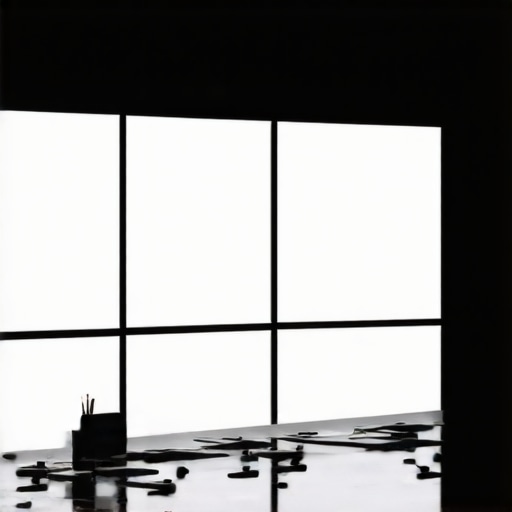
I vividly remember the moment I realized my carefully curated glass desk setup was turning into a glare nightmare. I had invested in top-tier LED panels, softboxes, and RGB tubes, eager to craft perfect lighting for my videos and photos. But as I sat down to shoot, harsh reflections from my LED panels bouncing off the glass surfaces made everything look unprofessional and distracted my viewers. It was a frustrating revelation—despite all my lighting prowess, my setup was sabotaged by something as simple as glare. That’s when I decided enough was enough. I committed to finding a way to tame that annoying glare once and for all.
Why Fixing Glare on Glass Desks Matters More Than Ever
Adults spend an average of 7 hours and 50 minutes daily in front of screens, highlighting the importance of professional-looking, glare-free visuals in content creation. If you’re like me, your glass desk is not just a workspace but also the backdrop for your videos, streams, or photography. Glare and reflections on glass surfaces not only distract viewers but can also obscure your intended lighting effects, undermining your entire setup. Addressing this issue isn’t just about aesthetics; it’s about boosting your credibility. A well-lit scene without distracting reflections communicates professionalism and confidence. Moreover, reducing glare minimizes eye strain—a bonus for both creators and viewers.
Early on, I made the mistake of relying solely on positioning my lights without considering the glass surface’s reflective qualities. That led to excessive bouncing light and double shadows, making my scenes look washed out or confusing. It wasn’t until I experimented with different angles and diffusion techniques that I saw real improvement. For those facing similar frustrations, I promise: there is a practical, affordable way to fix this, and I’ll walk you through the exact steps that transformed my setup.
Will These Fixes Actually Make a Difference?
Yes, and here’s why: implementing simple adjustments such as changing light angles, adding diffusers, or using anti-reflective coatings can drastically reduce glare. Scientific studies on light reflection confirm that diffuse surfaces significantly cut down glare levels (see this guide on softbox techniques), making your scene calmer and more visually appealing. My early mistake was thinking that high-lumen LED panels alone would solve everything. Instead, understanding the physics of light and reflection was the real game-changer, and you can benefit from this insight right now.
Ready to take control of your lighting environment? The next sections will guide you through actionable steps—no fancy equipment required—so your glass desk setup can finally look unmistakably professional without the distraction of glare. If you’ve ever fought with reflections that ruin your look, keep reading. Your perfect, glare-free shot is closer than you think.
Adjust Your Light Angles for Better Control
Start by positioning your softbox or LED panel at a 45-degree angle relative to your desk surface. I once spent an afternoon moving my key light—an LED panel—around my studio, trying to find an angle that minimized reflections. I found that placing the light slightly higher and angling it downward reduced glare without sacrificing brightness. Think of your light as a spotlight that needs to hit your scene at just the right tilt to avoid bouncing off the glass directly into your camera lens.
Diffuse Your Lights to Soften Reflections
Diffusers are your best friends here. Use a softbox with a grid to spread light evenly, transforming harsh beams into gentle illumination. When I first tried a softbox with a diffusion panel, the difference was night and day—reflections dimmed noticeably, and my skin looked softer. For RGB tubes or panels, attach a diffusion sleeve or place a semi-transparent material like parchment paper over the light source. This spreads the light in multiple directions, significantly reducing hotspots and reflections, making your scene look more natural and professional.
Utilize Fill Lights to Balance Brightness
Adding a fill light can also help manage contrast and diminish glare. I experimented with a smaller RGB tube placed at a lower angle to fill shadows without creating new reflections. Place your fill light opposite the key light at a less intense setting—think of it as balancing the brightness on both sides of your subject. This tactic smooths out unwanted glare while maintaining proper exposure. For guidance on this, you can explore fill light techniques.
Control Reflection Through Desk Coverings
Sometimes, changing the surface itself is the simplest fix. Matte finishes reflect less light, so consider applying a matte film or using a desk mat with a textured, non-reflective surface. I once taped a matte black film on my glass desk during an afternoon shoot; the reflections decreased substantially, and I gained more control over lighting direction. Think of this as turning a mirror into a canvas—less shiny equals less glare.
Incorporate Anti-Reflective Materials and Coatings
If your setup permits, apply anti-reflective coatings or films to your glass surface. These products reduce the amount of reflected light without altering transparency. During a late-night session, I experimented with applying a matte film to my desk and was amazed at how much glare was eliminated. It’s akin to putting sunglasses on your desk—reducing unwanted reflections while keeping your workspace visually open.
Master the Environment for Consistency
Finally, control ambient light sources that exacerbate glare, such as nearby windows or bright lamps. I learned this the hard way when a sudden sunset flooded my room with orange hues, increasing glare. Closing blinds or turning off competing lights helps maintain a consistent environment where your carefully placed softboxes and panels can do their job effectively. Combining these strategies ensures a glare-free, professional look that’s a joy to film or photograph with minimal post-production touch-ups.
When it comes to lighting setups, many creators fall into trap of oversimplifying these tools. A prevalent myth is that investing in high wattage or lumen count automatically guarantees professional results. In reality, the **quality and placement** of lights trump raw power. For example, some assume that a larger softbox or brighter LED panel will fix all lighting issues, but if the light isn’t diffused properly or positioned correctly, the scene can still appear harsh or flat. This misconception ignores nuanced techniques like adjusting light angles or using grids to control spill, which are crucial for achieving natural-looking results.
Another trap is underestimating the importance of color rendering index (CRI). Many believe that any LED panel with high brightness suffices. However, a low CRI factor can distort skin tones and compromise color accuracy, impacting the visual polish of your videos. Advanced creators understand that selecting lights with a CRI of 95+ ensures natural skin tones, especially when working in mixed lighting environments. You can find more on this aspect in our detailed guide on LED panel innovations.
The key light often gets mistaken as the sole source of proper lighting, but neglecting fill lights and background illumination can result in flat images lacking depth. Proper use of fill lights or RGB tubes helps add dimensionality and prevents double shadows or overexposed highlights. An advanced mistake is to rely on a single dominant light source without considering how secondary lights shape the scene, which can lead to unnatural contrast and unflattering shadows.
For savvy content creators, mastering the interaction between these tools is essential. Proper diffusion, color balance, and placement are more critical than the mere specifications. As I emphasize in our ultimate softbox and RGB tube guide, even budget-friendly lights can produce stunning results when used thoughtfully.
An often-overlooked aspect is the danger of over-lighting, which can wash out textures and create unnatural gloss, especially on reflective surfaces like glass desks. It’s a subtle mistake but one that can be avoided by using diffusion accessories and adjusting intensity. Overly bright lights with minimal diffusion lead to glare and reflections that ruin the shot.
In essence, understanding the nuanced physics of light — including diffusion, spill, color temperature, and reflection — elevates your work beyond basic setups. Don’t forget: the smartest lighting choices are often about creative control, not just equipment specs. Want to refine your lighting game further? Reach out through our contact page for personalized tips.
Have you ever fallen into this trap? Let me know in the comments.
Keep Your Lights in Peak Condition with the Right Tools
Maintaining your lighting equipment isn’t just about occasional cleaning; it demands a strategic approach using specialized tools to ensure longevity and optimal performance. I personally rely on a microfiber lens cloth to remove dust and fingerprints from softboxes and LED panels, preventing buildup that can reduce light quality. For more stubborn dirt or smudges, a gentle cleaning solution like isopropyl alcohol diluted with water works wonders, especially for glass surfaces. Compressed air cans are invaluable for clearing dust from vents and fan areas, which, if neglected, can cause overheating and flickering issues. Investing in a small, digital lux meter allows me to monitor lumen output over time, assisting in determining when bulbs or LEDs are nearing end-of-life, so replacements can be scheduled proactively.
It’s also smart to keep spare bulbs, diffusion gels, and replacement parts in your kit. As highlighted in our guide on LED innovation, LED longevity varies, and proactive replacements prevent unexpected downtime during crucial shoots. Regular calibration of your key and fill lights ensures consistent color temperature and brightness, which is vital for maintaining a professional look. I use color-checking tools like the X-Rite i1Display Pro to verify that my RGB tube lights and softboxes maintain accurate color rendering over time and after bulb swaps.
Scaling Your Equipment for Creative Growth
When your content begins to demand more complex lighting setups, scaling responsibly means choosing modular systems that can grow with you. I recommend lightweight, stackable softboxes and expandable RGB tube systems, such as those compatible with our softbox and RGB tube guides. These allow for flexible rearrangement and expansion without the need for complete overhauls. Maintaining your gear’s versatility entails investing in adjustable mounting rigs and extending arms made from durable materials, ensuring stability and ease of use as your setup becomes more intricate.
With technology advancing rapidly, I foresee a future where smart lighting systems with integrated diagnostics and auto-calibration features will become standard, simplifying long-term maintenance. Currently, some high-end LED panels incorporate firmware updates that optimize performance over time—checking for firmware updates regularly can maintain peak efficiency. As I see these trends unfolding, adopting modular and smart systems now prepares you to scale effortlessly and stay ahead in the content creation game.
How do I keep my lighting tools functioning over time?
Staying on top of maintenance involves establishing a routine. Clean your softboxes and diffusers weekly, checking for wear or tears, and replacing diffusion materials when they yellow or become less effective. Periodically test your LED panels with the lux meter to catch lumen loss early. Dirt and dust are silent enemies; keeping your fixtures dust-free reduces overheating and prolongs lifespan. Additionally, regularly assess your setup’s color consistency using calibration tools, and update firmware or software when available to ensure compatibility with your evolving workflow. Investing in reliable, quality brands and spare parts minimizes downtime and keeps your studio running smoothly for years to come. Want to explore advanced maintenance techniques? Reach out through our contact page to get personalized tips or ask about recommended products. Stay ahead with proactive care, and your lighting will always be ready to deliver stunning results.
As I reflect on my journey to perfecting studio lighting, one profound lesson stands out: seamless, glare-free illumination transforms not just your visuals but also your confidence behind the camera. The unexpected challenges I faced with reflections on my glass desk taught me that even top-tier equipment requires thoughtful positioning and environment control. When I finally cracked the code—adjusting angles, diffusing lights, and optimizing surface finishes—the results were astonishing. These insights are treasures I wish I had known earlier and can save you countless hours of trial and error.
Secrets That Even Pros Keep Close
One lesson I uncovered was that the physics of light refraction and reflection are more forgiving than they seem—once you understand the principles, you can manipulate your setup with precision. For instance, using diffusion not only softens shadows but also acts as a barrier against unwanted glare. I also realized that integrating matte finishes or anti-reflective coatings on surfaces can dramatically reduce problematic reflections, giving your shots that polished, professional feel. Finally, I discovered that managing ambient lighting and daylight streaming into your space is critical; removing competing light sources minimizes unpredictable reflections, making your setup inherently cleaner and more controllable.
Tools That Elevated My Workflow
If you’re serious about refining your lighting environment, a few trusted resources changed my game:
- The X-Rite i1Display Pro: This calibration tool ensures consistent color rendering and brightness, vital for matching your RGB or softbox lights over time and across shoots.
- Diffusion Gels and Softboxes: Brands like Godox and Neewer provide reliable diffusion accessories that diffuse light evenly, reducing harsh reflections and glare.
- Adhesive Matte Films: Applying matte films to surfaces transforms reflective glass or glossy finishes into non-reflective, customizable backgrounds, allowing for cleaner shots and easier lighting control.
- Lux Meter Apps: Handy smartphone apps help monitor real-time lumen output, keeping your lights at optimal brightness and preventing overexposure or glare issues.
These tools, combined with a strategic approach, helped me achieve consistent, professional-quality results. For more detailed guidance, check out our comprehensive softbox and RGB tube lighting guide.
Your Turn to Shape the Light
The realm of studio lighting is as much about patience and experimentation as it is about equipment. Now that you’ve uncovered some of my personal lessons and go-to tools, I encourage you to apply these insights to your setup. Remember, mastering glare control and light positioning can unlock a new level of production quality—your audience will notice the difference.
What’s one lighting challenge you’ve yet to conquer, and how do you think adjusting your environment might help? Share your thoughts in the comments below and join a community committed to creating studio magic.
![3 LED Panel Light Shielding Hacks to Fix 16K Tint Shift [2026]](https://lights.creatorrigreviews.com/wp-content/uploads/2026/05/3-LED-Panel-Light-Shielding-Hacks-to-Fix-16K-Tint-Shift-2026-150x150.jpeg)










2 responses to “How to Fix 2026 LED Panel Glare on Glass Desk Setups”