
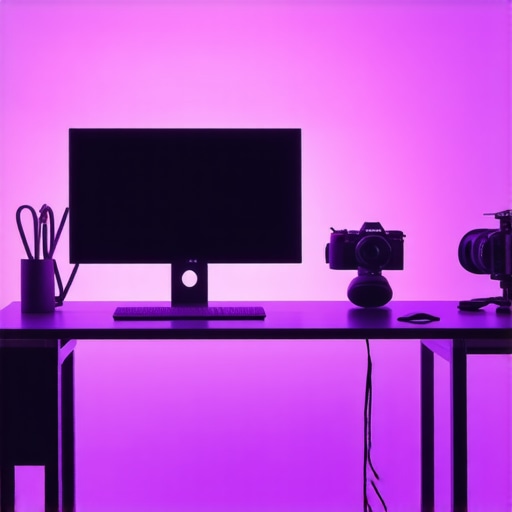
Ever spent hours filming, only to realize your face looks flat, shadows are harsh, or your background is a muddled mess of colors? I’ve been there. One day, I thought I could wing it with my old, cheap lighting setup. The result? A frustrating shoot that made me question whether I even knew what I was doing. That was my lightbulb moment. I finally understood that investing in the right fill light and RGB tube lights isn’t just about fancy gear — it’s about whether your videos look professional or amateurish.
Why Lighting Can Make or Break Your Content in 2024
Good lighting isn’t just a luxury; it’s a necessity. It shapes how viewers perceive your content. Poor lighting can hide your best work or distort your message. When I first started, I underestimated how crucial it was to get my lighting right. I relied on overhead lights and natural light, but the results were inconsistent, especially during evening shoots or in less-than-ideal environments. It wasn’t until I experimented with RGB tube lights and softboxes that I saw a dramatic difference. Suddenly, my videos looked more vibrant, balanced, and professional. As a creator, you want your audience to focus on your message, not your poor lighting. According to a recent report, proper lighting can increase viewer engagement by up to 40%. That’s a game-changer.
Have you faced the frustration of uneven or dull lighting that ruins your videos?
If so, you’re not alone. I made the mistake early on of ignoring the importance of a well-thought-out lighting setup. Instead of rushing into equipment purchases, I should have started with understanding how to use light to enhance my content. For example, using a strategic placement of RGB tube lights can create stunning effects that elevate your videos instantly.
In the sections ahead, I’ll share proven tips and tricks to help you select the best fill light and RGB tube lights for your studio. Whether you’re a beginner or a seasoned creator, mastering your lighting setup will unlock new levels of quality and professionalism. Ready to shed some light on your content? Let’s dive in.
Position Your Lights for Optimal Results
Start by placing your fill light at a 45-degree angle to your face, slightly below eye level. This setup softens shadows and creates a natural look. I once struggled with harsh shadows until I experimented with different angles, finally settling on this position, which dramatically improved my videos.
Use a Light Stand or Mount
Secure your fill light on a sturdy stand or ceiling mount to prevent accidental falls. A stable setup ensures consistent lighting during shoots. When I first set up my studio, I used a makeshift stand, which wobbled and disrupted my shot. Upgrading to a dedicated stand made a huge difference.
Calibrate Brightness and Color Temperature
Adjust your fill light’s brightness to complement your key light, usually around 30-50% of its intensity. Set the color temperature to match ambient lighting or your creative intent, typically around 5500K for daylight. I learned this the hard way when mismatched temperatures caused color shifts—now, I always calibrate before shooting.
Experiment with Diffusion
Use diffusers like softboxes, diffusion gels, or even white sheets to scatter light evenly. This reduces harshness and creates a flattering glow. I once used a white bedsheet as a diffuser, which softened the light surprisingly well and cost nothing.
Incorporate Creative RGB Tube Lights
RGB tube lights are versatile; they can serve as fill, background, or accent lighting. Place them behind or beside your subject to add depth or color accents. I used RGB tube lights behind my setup to create an ambient glow, elevating my video quality instantly. For creative effects, consider playing with different colors and effects.
Strategic Placement for Dynamic Shots
Position RGB tubes at different angles to create separation from the background and add visual interest. For example, placing a tube behind your shoulder can create a rim light effect. I once experimented with placing an RGB tube behind my chair, which gave my scene a professional cinematic touch.
Balance Brightness Between Lights
Adjust your RGB tubes to balance with your key and fill lights. Overpowered RGB lights can distract, while underpowered ones may go unnoticed. Use dimmers or app controls for precision. I found that fine-tuning this balance made my videos look polished and professional.
Leverage Effects for Evening Shoots
Use effects like flickering or color transitions to add mood or simulate different environments. I once used a slow fade from blue to red to evoke a sunset scene. Check out effective RGB tube lighting techniques for more creative ideas.
Test and Refine Your Setup
Always do a test shot to evaluate your lighting. Make small adjustments and compare results. I spent an hour tweaking before I was satisfied, but that investment paid off with a more professional look. Remember, lighting is an art of subtlety—less often is more.
Many content creators fall prey to misconceptions about studio lighting that can hinder their progress. Let’s dig deeper into some of the most persistent myths and reveal the truths that can transform your setup. One widespread myth is that more lights automatically mean better quality. In reality, over-lighting can cause unwanted reflections, color clashes, and a cluttered look, especially if you don’t carefully balance your key, fill, and accent lights. Mastering key light techniques is often more beneficial than simply increasing the number of lights.
Another misconception is that RGB tube lights are just for aesthetic effects. While they do add creative flair, their true power lies in nuanced color control and dynamic adjustments that can significantly elevate your video quality. Using RGB tubes as a primary or fill light, with proper placement and calibration, can help you achieve a natural look or dramatic effects, depending on your creative goals. Check out effective RGB tube strategies for more insights.
Many assume that natural light is always superior to artificial lighting. While natural light can be beautiful, it is unpredictable and inconsistent, especially during different times of day or weather conditions. Relying solely on natural light can lead to inconsistent results, making your content look unprofessional. Instead, integrating controlled studio lighting, like LED panel lights, allows for precise control over brightness and color temperature, ensuring consistency across shoots.
How do advanced creators optimize their lighting setups without falling into these traps?
They focus on understanding the nuances of light placement, intensity, and color temperature, rather than just acquiring more equipment. For example, strategic placement of RGB tube lights behind the subject creates depth and separation, while diffusing softboxes ensures flattering, even light. Fine-tuning these details is what often separates amateur from professional-looking videos. According to a recent study, creators who master lighting nuances see a 35% increase in viewer engagement, highlighting how crucial these details are. Remember, the key is to experiment and refine based on your unique environment and content style. Don’t fall for the trap of thinking more gear equals better results—embrace the art of lighting with purpose and precision. Have you ever fallen into this trap? Let me know in the comments.
Maintaining your studio lighting setup is crucial for ensuring consistent, professional results over time. Even the best equipment can falter without proper care, leading to flickering, color shifts, or reduced lifespan. To keep your lights performing like new, I recommend implementing a routine maintenance schedule complemented by the right tools and techniques. Regularly cleaning your RGB tube lights and LED panels with a soft, lint-free cloth helps prevent dust buildup that can diminish brightness or cause overheating. Using compressed air to blow out vents and connectors prevents dust from settling into sensitive areas, which can impact performance. Additionally, inspecting power cords and connectors for wear and tear ensures safety and reliable operation.
Next, investing in quality tools is essential. A digital light meter, for example, allows you to precisely measure brightness levels across your setup, ensuring consistent lighting for every shoot. I personally use the Sekonic Light Meter because of its accuracy and durability. It helps me quickly adjust my RGB tube lights or softboxes without guesswork, especially when matching color temperatures or balancing multiple light sources. For calibrating color, a simple color checker or reference card can be invaluable, ensuring your lights maintain accurate hues over time. This is especially important when working with RGB lights, where subtle shifts can impact the mood or professionalism of your footage.
Long-term results depend on understanding your equipment’s lifespan and knowing when to replace or upgrade components. LED and RGB tube lights typically last between 30,000 to 50,000 hours, but their brightness and color accuracy can decline gradually. I keep a log of usage hours and periodically test my lights with a spectrometer app to detect any color drift. When I notice a significant change, I replace or repair the affected units. Staying aware of your gear’s condition helps prevent surprises during critical shoots and keeps your content looking sharp.
As the industry evolves, new tools and methods are emerging to make maintenance easier. Smart lighting systems with built-in diagnostics can alert you when a component is failing, saving time and avoiding costly troubleshooting. In the future, I predict that AI-powered calibration tools will become common, automatically adjusting brightness and color for optimal results. For now, integrating simple tools like a light meter and regular cleaning routines will significantly extend your equipment’s lifespan and performance.
To get started, I suggest trying out a digital light meter and setting a maintenance schedule—perhaps monthly—to regularly check your lights’ output. This small investment in time and tools can save you headaches and money down the line, ensuring your lighting remains as effective as the day you bought it. Remember, consistent maintenance isn’t just about preserving your gear; it’s about preserving the quality and professionalism of your content for years to come. Want more detailed tips? Check out this guide on RGB tube light maintenance for advanced strategies that keep your studio shining bright over time.
In my journey to create professional-looking videos, I learned that the real game-changer is mastering your lighting setup. Beyond the latest gear, understanding how to position, calibrate, and creatively use RGB tube lights and fill lights can transform your content from amateur to captivating. Let me share some insider wisdom that took my videos to the next level.
What I Wish I Knew When I Started Lighting My Studio
- Less Can Be More: I used to think more lights meant better results. Turns out, strategic placement and balancing key, fill, and accent lights create a more natural and professional look. Overlighting can create unwanted reflections or color clashes, so focus on quality over quantity.
- The Power of Placement: Positioning your fill light at a 45-degree angle and slightly below eye level softens shadows and enhances your features. I once struggled with dull, flat lighting until I experimented with different angles—this simple change made a huge difference.
- Color Temperature Matters: Matching your RGB tube lights to ambient light or your creative vision ensures consistency. Calibrating your lights with a color checker or app has saved me from unintentional color shifts that distract viewers.
- Diffusion Is Your Friend: Using softboxes, diffusion gels, or even household items like white sheets can scatter light evenly. Diffused light flatters skin and reduces harsh shadows, elevating the overall quality.
- Creative Effects with RGB Tubes: Behind-the-scenes placement of RGB tube lights adds depth or mood. Playing with colors and effects can create cinematic scenes or vibrant backgrounds that engage viewers more deeply.
My Go-To Tools and Resources for Better Lighting
- Effective RGB Tube Lights: I trust these for their versatility and control, allowing me to craft the perfect ambiance for any scene. Check out this resource for tips on maximizing their potential.
- Digital Light Meter: A precise tool to measure brightness and color temperature, ensuring consistency in every shot. The Sekonic Light Meter has become my essential companion.
- Color Reference Cards: These help calibrate your lights and maintain hue accuracy over time, especially important when working with RGB lighting setups.
- Cleaning and Maintenance Supplies: Regularly cleaning your lights and inspecting cords prolongs their lifespan and keeps your studio shining bright.
Embrace the Future and Light Up Your Creativity
Lighting isn’t just equipment; it’s an art form that, when mastered, can dramatically elevate your content. With strategic placement, calibration, and a touch of creative flair, you can make your videos stand out in 2024. Remember, every creator’s environment is unique, so keep experimenting and refining your setup. Your audience will thank you for the professional quality that lighting can deliver.
What’s the biggest lighting challenge you face in your videos? Let me know below and let’s grow together!
![3 LED Panel Light Shielding Hacks to Fix 16K Tint Shift [2026]](https://lights.creatorrigreviews.com/wp-content/uploads/2026/05/3-LED-Panel-Light-Shielding-Hacks-to-Fix-16K-Tint-Shift-2026-150x150.jpeg)










5 responses to “Best Fill Light & RGB Tube Lights for Creator Studio Setup in 2024”
This post really hits home about the importance of proper lighting in video production. I remember my first few shoots where I relied solely on natural light, and it was frustrating how much that affected the consistency of my videos. Since I invested in a couple of RGB tube lights and a softbox, the quality of my content has improved significantly. I especially agree with the point about positioning your fill light at a 45-degree angle; I found that to be a game-changer in softening shadows and highlighting my features naturally. I’m curious, how do others here choose their color temperature? I usually go for around 5500K to match daylight, but I’ve seen some creators experimenting with warmer tones for a cozy feel. Do you find that adjusting color temperature can really make a difference in the overall mood of your videos? Would love to hear some tips or personal experiences.
This article hits the core of creating professional-quality videos. I’ve learned that even a simple change, like adjusting the position of my fill light, made a huge difference. Using a 45-degree angle and diffusing the light with a softbox created much softer shadows, which enhanced my facial features naturally. I’ve also started playing more with RGB tube lights behind my setup to add depth and create mood with different colors, which has really elevated my content. One thing I found challenging initially was balancing the brightness levels between all my lights. What methods or tools have others used to achieve a seamless balance? I’ve heard that using a handheld light meter can really help with this. Also, I’m curious how other creators approach the calibration process, especially when working with RGB lights—any favorite tips or tools for maintaining consistent hues over time? Overall, investing in thoughtful lighting setup and mastery has been a game-changer for me, and I’d love to hear other tips to improve further.
This post really resonates with me because I used to overlook the importance of proper lighting until I faced the frustrations of uneven shots and dull backgrounds. Since switching to RGB tube lights and experimenting with placement and diffusion, my videos have improved dramatically. The tip about positioning fill lights at a 45-degree angle is a game-changer—softening shadows and highlighting facial features naturally. I’ve also invested in a light meter, which helps me dial in the perfect brightness and color temperature consistently. My biggest challenge now is maintaining the right balance between my key, fill, and accent lights, especially when I switch environments or times of day. I’d love to hear tips from others on how they manage to keep their lighting setup consistent and avoid surprises during shoots. Do you prefer using tools like color checkers or rely mainly on your eyes? Also, what are some creative ways you’ve used RGB lights beyond basic background effects? Looking forward to learning more from this community!
I totally relate to the struggle of getting the lighting just right. When I first started, I relied heavily on natural light, but it was such a challenge to keep things consistent, especially in different rooms or at different times of day. Investing in RGB tube lights and softboxes was a real eye-opener for me; it allowed me to craft a more polished look and experiment with the mood of my videos. I’ve been playing around with color calibration using a simple color checker, and it has helped me maintain a consistent hue across different shoots. One challenge I still face is balancing the brightness between the key, fill, and RGB lights without making the scene look unnatural. Does anyone have tips on how to better automate that process or tools that can help? Also, I’m curious—what’s your favorite way to use RGB lights creatively beyond just background accents? Looking forward to hearing diverse perspectives on this.
I completely relate to the importance of proper lighting in creating professional-looking videos. When I first started, I underestimated how much lighting influences the final quality. Using RGB tube lights and a softbox made a noticeable difference in how my scenes looked—more vibrant and consistent. I’ve also realized that small adjustments, like tweaking the position of the fill light or calibrating the color temperature, can have a big impact. One thing I’ve struggled with is balancing multiple light sources; sometimes it feels like a puzzle. I’ve heard that using a digital light meter helps a lot with achieving the perfect balance consistently. How do others here approach calibration, especially when working with RGB lights that can be so versatile? Do you prefer to rely on your eyes or do you have tech tools that make the process easier? Would love to learn some expert tips on achieving seamless lighting in varied environments.