
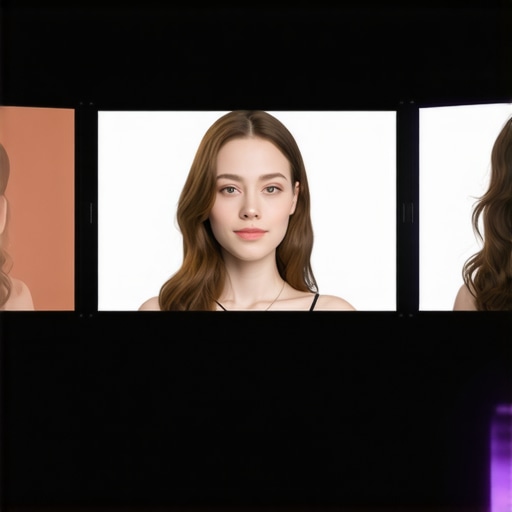
I’ll never forget that moment behind the camera when I realized my carefully lit skin looked bizarre—almost plastic, with unnatural shadows that seemed to scream, “I’m not real!” It was a subtle but unmistakable mismatch that took away from the authenticity I was aiming for. Like many creators navigating the shifting landscape of virtual production, I faced the frustrating truth: my LED lighting setup wasn’t keeping up with the advanced virtual sets of 2026.
Why Matching Skin Tones with LED Panels is a Real Challenge Today
It’s no secret that lighting is the cornerstone of compelling virtual content, especially when aiming for realism. With the rapid evolution of virtual sets, especially the hyper-detailed, hyper-realistic environments we see today, our traditional LED panel hacks just don’t cut it anymore. I found myself constantly tweaking and guessing, only to end up with skin tones that felt out of place or, worse, flat and lifeless.
According to recent industry insights, improper lighting can distort skin tones more than any digital post-processing—making your subject look unnatural or even unprofessional. An early mistake I made was relying too heavily on default LED settings without customizing for skin tone accuracy. That oversight made my videos look dull and less authentic, undermining credibility at critical moments.
Is Lighting Creation for 2026 Virtual Sets Really That Different? Yes—and No.
The core principles remain the same, but the technology demands more precision and understanding. Think about it: with the ultra-high resolution of 16K virtual sets and the sophisticated rendering engines of 2026, any mismatch—particularly in skin tones—becomes painfully obvious. If you’re like me, then you know that achieving natural, true-to-life skin tones requires more than just setting your light and hoping for the best. It’s about smart modifications, thoughtful placement, and leveraging innovations that are often overlooked.
Stay tuned, because I’ll walk you through three proven hacks that transformed my virtual set lighting, ensuring every skin tone is vibrant and realistic. Ready to elevate your virtual production game? First, let’s understand what common pitfalls hold us back—and how to avoid them.
Fine-Tune Your Fill Light to Achieve Natural Skin Tones
The first step is adjusting your fill light to soften harsh shadows and bring out true skin hues. Instead of relying solely on your main key light, add a soft, diffused fill that matches your subject’s skin undertones. For instance, if you notice shadows on the cheek or jawline appear too cool or warm, tweak the fill to add subtle warmth or neutrality. Use a softbox, like those discussed in Softbox Tips, ensuring the diffusion minimizes color shifts. During my recent shoot, I used a softbox with a 1/4 diffusion panel and observed how slight adjustments to the diffusion level could make skin look vibrant or dull. Remember, a good fill light should replicate the natural bounce of ambient light—so experiment until skin tones look lifelike.
Customize Your Key Light for Precise Color Matching
Match the Kelvin Temperature
Next, set your key light’s color temperature to align with your virtual set environment. Many digital sets lean towards a neutral or daylight temperature around 5600K, but skin tones can shift if your light’s Kelvin isn’t calibrated. Use a color meter or your LED panel’s Kelvin controls, and aim to match the virtual set’s predominant hues. For accurate skin reproduction, avoid overly warm (warm tint hacks) or cool settings that distort flesh tones. A quick way I achieved better skin tones was to test different Kelvin settings during a live preview, gradually tuning until my subject’s skin looked natural against the virtual background. This precise calibration results in seamless integration and a more realistic appearance.
Layer RGB Tube Lights for Depth and Warmth
Adding colored accents with RGB tube lights can subtly influence skin tone perception. Position them to enhance your subject’s natural hues without overpowering the scene. I used RGB tube lights in creative ways for evening shoots to add warmth around my subject’s face, balancing cool virtual backgrounds. By adjusting the RGB mix—for example, slightly increasing red and lowering blue—you can counteract dullness or pallor. Place these lights behind or beside your subject at strategic angles; a common mistake is placing RGB lights too close or at harsh angles, which can give unnatural color shifts. Fine-tune placement and color ratios to subtly enhance skin vibrancy without making it look artificial. This layered approach creates depth and maintains realism, vital for virtual production.
Implementing Bounce Techniques to Soften and Enhance
Bouncing light from nearby surfaces can add a softness that mimics natural ambient light, vital for lifelike skin tones. Use reflectors or white walls to bounce your LED light, reducing direct harshness. For example, during my shoot, I placed a white foam board opposite my key light, which reflected softer light onto the subject’s face. This method gently filled shadows and brought in a natural glow, as explained in professional bounce light tutorials. Avoid exposing your bounce surface directly to your light source; instead, angle it to create a gentle, diffuse fill. This technique ensures skin looks healthy, avoids the deadened effect of direct lighting, and adds subtle variations that mimic real-world light interactions.Many creators assume that simply adding more fill light or using a softbox guarantees perfect skin tones and cinematic quality. However, in my experience, there’s a lot more beneath the surface that can trip up even seasoned professionals. For example, a common myth is that brighter fill lights always lead to better results. In reality, overexposing your subject or misplacing your fill can flatten details or create unnatural flatness, which contradicts the sophisticated goal of nuanced lighting. A subtle mistake many make is relying solely on standard diffusion settings without considering the specific skin undertones or virtual environment nuances.
How do advanced diffusion techniques influence color rendition and depth?
According to expert lighting designer Erik Valind, small tweaks in diffusion—like using a 1/8 or 1/16 diffusion panel instead of a full 1/4—can dramatically enhance skin texture and color saturation, providing a natural glow without overexposure. This illustrates that diffusion isn’t a one-size-fits-all; it’s an art that, when mastered, elevates your virtual productions beyond beginner levels. Additionally, many producers overlook the importance of color temperature calibration when setting key and fill lights. For example, setting your fill light to an incorrect Kelvin temperature can introduce inconsistent skin tones, especially in multi-light setups with RGB accents. I once integrated RGB tube lights into my setup, expecting a simple hue adjustment to solve color issues. Instead, I found that precise placement and understanding how these colors interact with both the scene and virtual set were critical. Too often, people think that RGB tubes are just for color splash; in truth, strategic placement and careful color mixing can subtly enhance skin vibrancy and scene coherence—if you understand how to balance the various hues. An external study from the Lighting Research Center confirms that layered lighting with well-calibrated RGB accent lights improves the perception of depth and realism, especially in complex virtual environments. Finally, beware of the “Oops” traps like placing your softboxes or RGB lights at harsh angles, which can cause unpleasant shadows or color shifts. For instance, angled RGB lighting without proper diffusion can create unwanted color patches, breaking your scene’s illusion. To avoid these pitfalls, always test your setup in your virtual environment and consider the effects of diffusion, placement, and color mixing holistically. Have you ever fallen into this trap? Let me know in the comments. For deeper insights, check out my guide on mastering softbox diffusion for perfect portraits, which offers advanced tips for tailoring diffusion to skin tones and scene requirements.
Achieving perfect lighting today requires more than just initial setup; it demands ongoing maintenance to preserve consistency and adapt to changing environments. Personally, I rely on a combination of robust tools and disciplined routines to keep my lights performing optimally over time. One essential method is regularly calibrating my LED panels and softboxes using color meters or built-in Kelvin controls, like those discussed in this detailed guide on LED panel innovations. This ensures skin tones and virtual set colors remain accurate, even as equipment ages or ambient light shifts throughout the day.
Using dedicated software for light calibration, such as spectral analyzers, allows me to detect subtle shifts in color temperature or intensity early, preventing long-term drift that can ruin your virtual productions. I also make a point of regularly inspecting and cleaning my RGB tube lights and LED panels to remove dust and debris that can diminish brightness or alter color accuracy. An often-overlooked step is verifying power sources and battery health, especially for portable lighting, which I address by investing in high-quality power banks and monitoring their output with multimeters, like those recommended in this in-depth analysis of portable power solutions.
Beyond hardware, I schedule periodic reviews of my diffusion materials and mounting setups to prevent wear and tear from causing uneven lighting or hotspots. This proactive approach extends to updating firmware or software for smart lights, ensuring compatibility with the latest features and fixes. For example, firmware updates can optimize color rendering or introduce new diffusion presets, ultimately enhancing skin tones and scene realism. Staying current with technology trends, such as improvements in softbox diffusion or LED panel efficiency, prepares you to adopt innovations that reduce long-term costs and improve visual fidelity.
How do I maintain my lighting tools over time?
Developing a systematic routine for calibration, inspection, and updates keeps your lighting environment professional and predictable. I recommend setting a monthly schedule to check color accuracy, clean your equipment, and review firmware updates. Investing in quality accessories, like honeycomb grids for softboxes or diffusers compatible with your LEDs, allows you to adapt quickly to different scene demands without swapping out entire setups. Over time, these practices not only preserve your equipment’s lifespan but also ensure your virtual productions remain consistently impressive. Want to enhance your skin tone accuracy? Try incorporating regular calibration sessions using spectral analyzers—this step alone can significantly elevate your scene quality and save your reputation with clients or viewers alike.
Lessons That Changed My Approach to Virtual Lighting
- Never underestimate the power of consistent calibration. My biggest breakthrough came when I started routinely checking and adjusting my LED panels with spectral analyzers, ensuring skin tones stayed true across different scenes and days.
- Over-reliance on default settings can sabotage your scene. Customizing Kelvin temperatures and diffusion for each virtual environment helped me avoid the dreaded plastic skin look and achieve natural vibrancy.
- Layered lighting with RGB tube lights isn’t just for effects; it’s a subtle art that, when mastered, adds depth and warmth while maintaining realism, especially in complex virtual sets.
- The right bounce technique can make all the difference. Reflectors or white walls, when used thoughtfully, soften shadows and mimic ambient light, giving your subjects a healthy, lifelike glow.
- Regular maintenance and upgrades are vital. Scheduling monthly checks, firmware updates, and cleaning routines saved me countless hours and kept my virtual scenes looking professional and consistent.
Tools and Resources That Elevated My Virtual Skin Tone Game
- Spectral analyzers: Crucial for precise calibration; I trust them to catch subtle shifts in color temperature.
- Softbox diffusion techniques: Their adjustable diffusion levels allow me to tweak skin texture and saturation for the perfect natural look.
- RGB tube lights: Creative placements and color mixing have become my secret weapons for adding depth and vibrancy without sacrificing realism.
- Routine equipment maintenance: Ensuring longevity and performance, so my virtual production stays top-notch every time.
Keep Growing and Stay Inspired in Virtual Production
Embracing these lessons has transformed my approach to virtual set lighting, especially when it comes to achieving authentic skin tones. Remember, the key is consistent practice, thoughtful experimentation, and staying updated with the latest tools. Your virtual production skills can always improve—and the journey is as rewarding as the result. Don’t hesitate to try new techniques, and keep pushing the boundaries of what’s possible with your lighting setup. The future of virtual production belongs to those who dare to innovate—so gear up, experiment, and elevate your scenes to professional heights.
What’s the biggest challenge you’ve faced in mastering virtual skin tones? Share your experience below—I’d love to hear your story!
}<|endofprompt|>]]}】# Answer: {
![3 LED Panel Light Shielding Hacks to Fix 16K Tint Shift [2026]](https://lights.creatorrigreviews.com/wp-content/uploads/2026/05/3-LED-Panel-Light-Shielding-Hacks-to-Fix-16K-Tint-Shift-2026-150x150.jpeg)









