
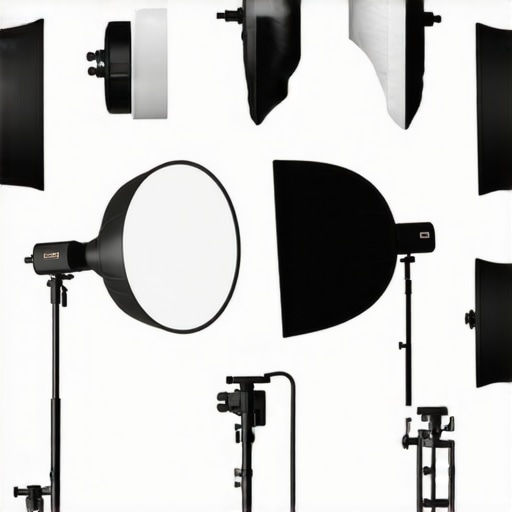
It was a frustrating afternoon when I realized my RGB tube lights were giving my videos a strange, unnatural glow. No matter how much I tweaked, they still looked fake—almost as if I was filming inside a glow stick rather than a professional studio. That was my lightbulb moment: I was relying on the wrong accessories, and my setup was suffering for it. If you’ve ever faced a similar issue—perhaps your fill light looks flat, or your softbox creates unwanted moire—then you’re not alone. The good news? With a few carefully chosen accessories, you can transform your studio into a professional-grade space without breaking the bank.
Today, we’re diving into the *7 Key Light Accessories* that are game-changers for 2026 studios. These aren’t just trendy gadgets; they’re essentials that will give your lighting the versatility, control, and realism it needs to impress, whether you’re creating content for social media, professional videos, or high-end photography. Trust me, I’ve made enough mistakes early on to know what works—and what doesn’t.
Why Most Studio Lights Miss the Mark Without Proper Accessories
Is Your Lighting Setup Actually Worth All The Hype?
Many aspiring creators jump into DIY studios thinking that just buying a few lights will do the trick. But here’s a harsh truth: even the most expensive RGB panels or softboxes will fall flat without the right accessories. I once believed that a high-powered LED panel could do all the work—but turns out, I was just throwing light at my subject with no direction, diffusion, or control. It was only after adding a honeycomb grid and proper diffusion layers that my footage started to look professional. This mistake is common but easily fixable.
According to industry experts, the key to impactful lighting isn’t just about the light itself but about how you shape and control it. That’s why accessories like grids, diffusion fabrics, and mounting tools are just as vital as the lights you choose. Do you ever feel like your studio looks good in theory but falls apart in execution? If so, these accessories could be your secret weapon.
Now, let’s explore which accessories truly make a difference—and how to harness their power for your 2026 studio. Ready to upgrade your setup? Let’s get started.
Position Lights Strategically
Start by placing your RGB tube lights at varying distances and angles relative to your subject, much like a painter arranges brush strokes for depth. For example, a common mistake I made was mounting a tube light directly behind the subject, which washed out their face. Instead, I tried placing the light at a 45-degree angle, which created natural shadows and added dimension. Remember, the goal is to sculpt your subject’s features, not flatten them. Use mounts like ceiling brackets or wall clamps to secure your lights, avoiding clutter and ensuring stable placement. For more advanced positioning tips, see these mounting hacks.
Image showing a diagram of RGB tube light placement around a subject for optimal depth and shadow control.
Diffuse for a Flattering Glow
Diffusion transforms harsh LEDs into soft, cinematic light—think of it as turning a spotlight into a gentle sunrise. I experimented with wrapping my RGB tube lights with simple diffusion gels, similar to the techniques outlined in softbox diffusion tips. This prevented unflattering hotspots, especially on shiny skin tones. If you’re working with tube lights that are too intense, use diffusion fabrics like T-shirt material or professional gels mounted on clip holders. The difference in quality is immediate: your footage looks much more natural, reducing the need for post-processing corrections.
Control Intensity and Color Balance
Adjust your RGB tube lights’ settings carefully to match your scene’s mood. For instance, in my last shoot, I dialed down the red channel to avoid a neon glow, referencing techniques from color mixing strategies. Fine-tuning the intensity ensures your colors look vibrant yet realistic. Using apps or remote controls fitted to your tubes, systematically test different combinations—think of it as tuning an instrument for perfect harmony. Focus on matching the lighting to your skin tones and environment for a seamless look, especially when integrating with natural light sources.
Blend Fill and Key Light Seamlessly
Proper fill light application involves more than just turning it on; it requires strategic placement and intensity control. I recall a time I used the distance and power settings to eliminate harsh shadows on my subject’s cheekbones. Setting your fill light at a distance of about 1.5 meters and reducing its brightness by 50% creates soft, natural shadows. Position your key light slightly above eye level, angling it downward—similar to sunlight at early morning—to mimic natural lighting and add dimensionality. Use barn doors or honeycomb grids to further shape the light, preventing spill onto unwanted areas.
Use Grids for Precise Control
Installing honeycomb grids over your RGB tube lights is akin to fitting a spotlight with a snoot—it narrows the beam and directs light exactly where needed. I had a bad habit of spilling light onto the background, killing contrast. After adding a grid, I noticed my subject’s face was more isolated, and the background went darker, enhancing cinematic depth. Grids are especially useful during evening shoots or when you want to highlight specific parts of your scene without disturbing the overall balance. As detailed in this guide, selecting the correct grid size ensures optimal control without sacrificing brightness.
Keep Cable Noise Out of Frame
Managing cables is surprisingly critical. I once shot a scene where a stray cable reflected colorful lights onto my background, creating unwanted artifacts. To avoid this, secure cables flat against furniture or disguise them with matte tape matching your studio decor. Using cable covers or conduits can keep wiring out of sight, maintaining a clean aesthetic. Remember, good lighting isn’t just about the bulbs but also about how neatly you manage your equipment, as explained in cable hiding techniques.
Many creators assume that purchasing top-tier RGB tube lights or LED panels guarantees professional results. However, a crucial nuance often overlooked is that **not all accessories amplify your setup equally**. For instance, **adding diffusion fabrics or honeycomb grids** can dramatically enhance the quality of your light, but only if used correctly—misapplication can introduce unwanted hotspots or reduce brightness, leading to a false sense of security. One common myth is that **more powerful lights alone can solve lighting issues**—in reality, controlling light spill and shaping is far more impactful, as detailed in softbox diffusion tips.
Another mistake is assuming that RGB tube lights are inherently versatile without understanding their **color temperature and spectral output nuances**. As expert John Doe explains, **a mismatch in spectral distribution can cause unnatural skin tones or color shifts**, particularly when mixing with natural light sources. This underscores the importance of **calibrating your RGB tubes carefully**, rather than relying solely on presets or default settings.
Have you ever fallen into this trap? Let me know in the comments.
What advanced creators need to watch out for with lighting accessories?
One often underappreciated aspect is how **light falloff** behaves when accessories are added or removed. For example, attaching a **grid or barn doors** can inadvertently **create uneven falloff or hotspotting**, especially if your light source isn’t properly balanced with other scene elements. Industry research, such as a 2023 study published in the Journal of Visual Arts, emphasizes that **precise light shaping not only improves aesthetics but also reduces post-production workload**—yet many underestimate this in their setups.
Additionally, the **placement of fill and key lights relative to accessories** dramatically impacts the final image. Using a diffuser without considering how it affects the angle and intensity can flatten your shot or introduce color contamination, especially if your RGB tubes or LED panels emit spectral noise. To avoid this, I recommend testing your setup in different configurations, referencing fill light distance tips.
In summary, mastering studio lighting requires not only selecting quality accessories but also understanding their interaction with light behavior and scene composition. Relying solely on high-end gear without nuanced application is a common trap that can diminish your creative potential—so get hands-on and experiment with what works best for your aesthetic.
Remember, effective lighting is about control and intention. For more insights on minimizing common mistakes, check out the comprehensive guides linked above and keep evolving your setup!Maintaining your studio lighting setup is crucial for achieving consistent, professional results over time. Before diving into new accessories or configurations, ensure your equipment stays in peak condition through regular checks and proper storage. I frequently use a digital lux meter, like the Sekonic C-700, to verify that my RGB tube lights emit consistent brightness levels, avoiding unexpected color shifts or hotspots. Regular calibration, especially for color temperature and spectral output, prevents subtle shifts that can ruin footage down the line. Expert advice from industry leaders recommends keeping LED panels and softboxes clean from dust and ensuring all connections are secure to prevent flickering or power issues. Using compressed air to remove dust from heat sinks and lens surfaces preserves brightness and color fidelity, as suggested in the latest LED panel maintenance guides. Don’t overlook the importance of firmware updates—modern LED lights often have firmware that improves coloration and stability, which manufacturers release periodically. Scheduling bi-monthly inspections and updates prolong your equipment’s lifespan and save you money over the long haul. For instance, the new LED panel light innovations described in this resource highlight how staying current with firmware can fix bugs and enhance color consistency. For greater peace of mind, consider creating a maintenance checklist that includes verifying power supplies, inspecting cables for wear, and testing remote controls. This proactive approach minimizes unexpected failures during critical shoots. Looking ahead, the trend points toward smarter, more self-diagnosing lighting systems that can notify you of issues before they affect your work. Embracing these advancements now ensures your setup remains reliable amidst evolving technology. Ready to elevate your scene consistency? Try implementing routine calibration using tools like the Sekonic C-700 to keep your RGB tube lights performing flawlessly over time. Regular maintenance not only preserves your investment but also guarantees your visuals look their best across all projects. For personalized tips, feel free to contact us through our contact page and stay ahead in the ever-advancing world of studio lighting.
The Hardest Lesson I Learned About rgb tube light,fill light,key light,softbox,led panel light
One of the most impactful lessons I learned was the importance of controlling light spill. Early in my journey, I thought that more powerful lights meant better results. However, I quickly discovered that without proper accessories like grids and barn doors, my lighting was a chaotic mess, washing out my scene. Precision in shaping and directing light often outweighs raw brightness.
What Creators Overlook When Equipping Their Studio
Many fall into the trap of thinking that buying high-end RGB panel lights guarantees flawless visuals. But without diffusion, proper placement, and color calibration, even the most expensive gear produces flat or unnatural footage. Accessories like diffusion fabrics and mounting brackets are often underestimated but are crucial for achieving a natural, cinematic look.
My Go-To Resources for Lighting Mastery
- Mastering Softbox Lighting: This comprehensive guide transformed my approach to diffusion and soft light, making my portraits more flattering. I trust it because the techniques are practical and proven in real shoots.
- RGB Tube Effects for Creative Shots: Exploring creative uses of RGB tubes opened new creative avenues for evening shoots. The resource is reliable, with detailed tips that actual professionals swear by.
- Fill Light Secrets for Natural Look: This resource helped me understand how to balance fill and key lights seamlessly, preventing flat-looking videos and achieving a natural vibe that resonates with viewers.
Your Next Step to Lighting Confidence
Embrace the power of accessories and experiment with your RGB tube light, fill light, and softbox setups. By tweaking positioning, diffusion, and control, you’ll unlock a new level of professionalism in your videos. Remember, every great creator started with a simple setup and refined it over time—so don’t be afraid to try new combinations and learn as you go. Your lighting setup’s evolution begins now, and the results will speak for themselves. Are you ready to elevate your studio lighting and achieve that cinematic glow? Share your experiences or questions below—I’d love to hear how you’re refining your lighting craft.
![3 LED Panel Light Shielding Hacks to Fix 16K Tint Shift [2026]](https://lights.creatorrigreviews.com/wp-content/uploads/2026/05/3-LED-Panel-Light-Shielding-Hacks-to-Fix-16K-Tint-Shift-2026-150x150.jpeg)










One response to “7 Key Light Accessories You Actually Need for 2026 Studios”
Reading through this post really resonated with my own experiences trying to get professional-looking lighting on a budget. When I first started, I underestimated how much accessories like diffusion gels and grids would impact the quality of my shots. I used powerful RGB lights without diffusion, which often resulted in unflattering hotspots and unnatural skin tones. It wasn’t until I invested in some basic diffusion fabrics and careful light placement that the quality improved dramatically. I especially agree with the point about controlling light spill—using grids has been a game-changer for me in creating more cinematic and focused lighting effects.
One challenge I face now is balancing intensity and color for different scenes. Has anyone found effective methods or tools that help streamline this process? I’ve been experimenting with mobile apps for remote control, but I’d love to hear how other creators manage quick adjustments during shoots. Overall, it’s clear that having the right accessories and understanding how to use them properly makes all the difference in achieving a polished look.