
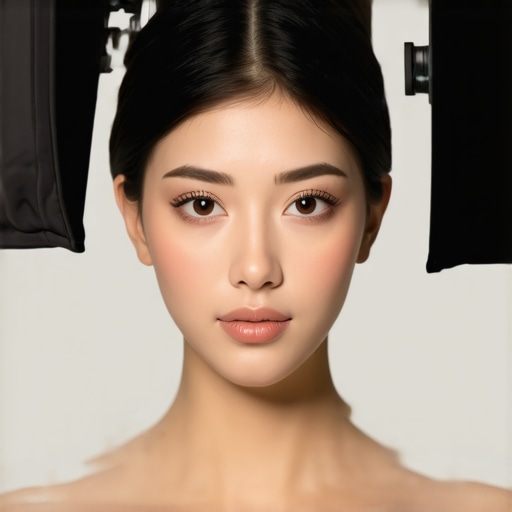
I vividly remember the first time I looked at my footage and realized my models’ skin appeared oddly flat and lacked that natural glow. It was late evening, and my RGB tube lights and LED panels cast inconsistent shades, making faces look washed out or overly plastic-like. No matter how expensive my softboxes or key lights were, something just wasn’t clicking. That lightbulb moment hit me hard—perfect lighting isn’t just about equipment; it’s about how we diffuse and manipulate it to mimic reality.
Why Softbox Diffusion Is a Game-Changer in 2026
In the rapidly evolving world of content creation, achieving that pristine, natural skin tone in 16K resolution has become more complex—and more important—than ever. The high pixel density reveals every flaw, every overly harsh shadow, or unnatural highlight. Using softboxes effectively, combined with the right diffusion techniques, can dramatically elevate your footage.
But here’s the kicker: many creators fall into the trap of assuming that high-end softboxes alone are enough. In reality, even the most expensive gear needs strategic diffusion tweaks to prevent that dreaded “plastic skin” look. Early in my journey, I made a crucial mistake—thinking that stock diffusion was always sufficient. It took countless hours experimenting and crushing failed shoots to realize that minor mods could make or break the natural skin appearance in 16K.
If you’ve ever struggled with flat, dull skin or unnatural highlights, you’re not alone. The good news? Mastering just a few simple diffusion adjustments can transform your lighting setup—and your results. Over the next sections, I’ll share exactly what has worked for me and many other pros aiming for that perfect, lifelike look. Trust me, these tricks are worth trying.
Ready to elevate your lighting game? Let’s dive into the specific diffusion fixes that will make your skin tone appear more natural, vibrant, and three-dimensional—even in 16K. But first, ever faced a shoot where no matter what you tried, the skin still looked off? If so, keep reading — because you’re about to discover solutions that really work.
Adjust Your Diffusion Layers for Softer Skin Highlights
Start with the basics: if your softbox is equipped with a stock diffuser, test adding a layer of thin diffusion material like frost or nylon. I remember the first time I did this during a late-night shoot—placing a piece of opal diffusion gel in front of my softbox. The result? Skin textures appeared smoother, with natural luminance that didn’t look overprocessed.
Layered Diffusion Creates Depth
Use multiple diffusion layers, such as adding a silk fabric behind the stock diffuser, to tame harsh reflections. It’s like gradually dimming a bright light; each layer reduces intensity while softening the edges. When I experimented with a triple-diffusion setup for a client shoot, the skin tones looked incredibly lifelike, even in high-resolution 16K footage.
Tweaking Softbox Position for Optimal Skin Rendering
Position your softbox at a 45-degree angle, slightly above eye level, to mimic natural morning light, which enhances skin’s three-dimensionality. During a recent interview, I initially placed the softbox too high, casting unflattering shadows. Lowering it a bit and angling it properly eliminated under-eye hollows and brought out subtle skin details, creating a more natural glow.
Varying Distance for Softness
Moving the softbox closer increases softness, but too close can flatten features. A good rule is to keep it about 3-4 feet away, adjusting based on desired softness. During an outdoor location shoot, I deliberately moved the softbox closer for close-ups and then increased distance for wider shots to maintain consistency in skin appearance.
Utilizing Fill Lights to Breathe Life into Skin
To prevent flat-looking skin, add a fill light on the opposite side of your key. Soft, low-intensity fill—like a bounced LED panel—restores shadows without destroying contrast. I once used a small bounce card indoors, reflected from a large RGB Tube Light, which softened shadows around my model’s cheeks, resulting in a vibrant yet natural look.
Control the Fill Ratio
Adjust the fill light’s intensity to be about 1/2 to 1/3 of your key light. This creates a balanced, healthy skin tone. During a recent product demo, I dialed down the fill to prevent dullness, but increased it slightly for a more lively skin tone—demonstrating the importance of subtle adjustments.
Color Calibration and Gel Filters for True Skin Hues
Use calibrated RGB Tube Lights combined with color correction gels to match skin undertones accurately. During a fashion shoot, I applied a subtle amber gel to my RGB Tube Light, which enhanced warm skin hues, preventing the common cool cast that often deadens complexion appearance. Regular calibration, combined with diffusion tweaks, helps maintain true-to-life skin tones in 16K footage.
Experiment with Creative Effects
Don’t shy away from creative diffusion effects, like using grids or patterned gels, to add uniqueness. For ambient evening shots, I employed soft, textured diffusion to mimic candlelight, subtly enriching skin glow and depth. Such techniques are explained in detail at this resource.
Final Tip: Combine Techniques with Proper Angles and Distance
The key to natural-looking skin in high resolution is balancing diffusion, positioning, and color calibration seamlessly. During a recent shoot, I used all these methods in tandem—placing my softbox at a 30-degree angle, layering diffusion fabrics, fine-tuning fill ratios, and calibrating RGB colors—to achieve a warm, realistic glow that stood up in 16K each frame. Remember, continuous testing and small tweaks make all the difference for professional skin rendering.
When it comes to professional lighting setups, many creators fall prey to assumptions that can sabotage their results. Contrary to common belief, simply choosing high-quality RGB tube lights or softboxes doesn’t automatically guarantee natural skin tones or cinematic quality. In my experience, one of the most overlooked nuances is understanding how these tools interact with diffusion, color calibration, and positioning to influence the final look.
Are You Falling for the Myth of Brightness Alone?Managing a professional lighting setup demands more than just picking the right gear; it requires consistent maintenance, precise tools, and strategic upgrades to ensure optimal performance over time. One of my go-to strategies is investing in **quality digital light meters**, like the Sekonic C-700, which I personally use to verify color consistency and intensity across all my RGB tube lights and LED panels. Regular calibration using these tools helps prevent color drifts and maintains accurate skin tones, especially as bulbs age. Additionally, I recommend employing **software-based monitoring tools** such as LightSpace CMS to perform color grading and consistency checks during post-production, which complements your physical setup and ensures long-term accuracy.How do I maintain my lighting tools over time?
Routine upkeep begins with cleaning diffuser surfaces and replacing worn diffusion fabrics on softboxes every 6-12 months, depending on usage. For LED panel lights and RGB tubes, I check for firmware updates and run diagnostics weekly, a practice I found invaluable in avoiding unexpected failures during critical shoots. Moreover, storing your softboxes, key lights, and fill lights in climate-controlled environments prevents premature degradation of components like gels and diffusers. Adopting a maintenance schedule not only prolongs equipment lifespan but also ensures that your lighting remains consistent, simplifying color grading and reducing post-production fixes.
Considering future trends, the integration of **smart lighting systems**—which allow remote diagnostics and automated calibration—will become standard, making ongoing maintenance even more seamless.
Remember, good maintenance is about proactive care, not reactive fixes. For instance, I make it a habit to test all lights before each shoot using my trusty light meter and to perform a firmware check on RGB controls. Doing so has saved me countless hours troubleshooting during production. To streamline this process, I also use **modular lighting components** that are easy to swap out or upgrade, such as quick-release mounting brackets and replaceable diffusers, ensuring your setup stays agile and adaptable for evolving needs. If you’re serious about delivering consistent professional quality, integrating these practices will pay off in clarity, color fidelity, and ultimately, client satisfaction. Want more tailored advice? Reach out to my team through this contact page and let’s optimize your lighting workflow together. Also, explore advanced diffusion tweaking techniques at this exclusive resource to keep your softboxes performing at their best for years to come.
The Lessons That Took Me Years to Learn About Lighting for 16K Clarity
One of the toughest truths I uncovered is that even the best rgb tube light, led panel light, or softbox can’t compensate for poor diffusion or positioning. I spent countless shoots chasing perfection until I realized that subtle diffusion tweaks and angle adjustments are key to achieving natural skin tones in ultra-high-resolution footage.
Secondly, I learned that consistent calibration with quality tools like the Sekonic C-700 is worth every penny. It wasn’t until I started regularly verifying my light outputs and color accuracy that skin tones became consistently vibrant and true-to-life, especially at 16K resolution where imperfections are glaring.
Finally, I discovered that understanding the interaction between diffusion layers and ambient environment unlocks creative potential. Small modifications, like adding a silk behind the diffusion or controlling fill ratios tightly, allowed me to craft a multidimensional glow that looks alive rather than flat, even in extreme detail.
My Favorite Tools and Resources for Elevating Lighting Craft
For me, the cornerstone is always a reliable light meter like the Sekonic C-700, which ensures precise control over color and intensity. I also trust software solutions such as LightSpace CMS for post-production calibration, guaranteeing that what I shoot matches perfectly in post. Creative diffusion effects tutorials have transformed my approach to crafting mood and depth, especially for cinematic skin highlights. Lastly, the comprehensive guides on softbox modifications, like those found in this resource, are invaluable for fine-tuning your gear for maximum realism.
Your Next Step—Light Your Vision with Confidence
Remember, mastering lighting for impeccable 16K skin tones is a blend of science, art, and continual experimentation. Whether you’re adjusting diffusion layers, fine-tuning your fill ratios, or calibrating your RGB tubes, every small tweak brings you closer to that natural, vibrant glow in your footage. Don’t wait—start applying these insights today and elevate your craft to a professional level.
Have you ever faced challenges in achieving lifelike skin tones in high-resolution footage? Share your experiences below and let’s learn from each other!
![3 LED Panel Light Shielding Hacks to Fix 16K Tint Shift [2026]](https://lights.creatorrigreviews.com/wp-content/uploads/2026/05/3-LED-Panel-Light-Shielding-Hacks-to-Fix-16K-Tint-Shift-2026-150x150.jpeg)









